
SOLUTIONS / MULTI-LOCATION BUSINESSES
More locations.
Clearer context.
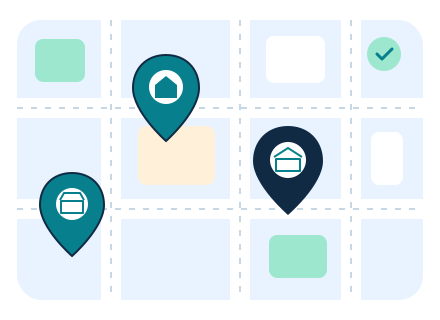
Give each store, warehouse or service location a clearer identity, with the records teams use to understand where the work happens.
NAME THE PLACES BEHIND THE WORK
Start with a useful
location record.
Define stores and warehouses with names, codes, addresses and fulfillment settings. Make the right location easier to identify before stock or order work begins.
ILLUSTRATIVE INVENTORY LOCATIONS
WAREHOUSE
Central warehouse
- Code
- WH-01
- Pickup setting
- Not enabled
- Shipping setting
- Enabled
STORE
Eastside store
- Code
- ST-02
- Pickup setting
- Enabled
- Shipping setting
- Not enabled
STORE
Riverside store
- Code
- ST-03
- Pickup setting
- Enabled
- Shipping setting
- Enabled
Fictional inventory locations and sample fulfillment settings, shown for illustration.
LOCATION CONTEXT FOR INVENTORY
See stock by place.
Follow the movement.
Review quantities by variant and location, then keep the movement between locations in a transfer record.
Read the stock context
Review on-hand, reserved and allocated quantities for the selected variant and location.
Give transfers a record
Keep source, destination, variants, quantities and notes together, with status and shipped or received timestamps.
ILLUSTRATIVE STOCK BY LOCATION
Everyday tote · Natural
SKU BAG-01-N
| Location | On hand | Reserved | Allocated |
|---|---|---|---|
| Central warehouse | 24 | 4 | 2 |
| Eastside store | 18 | 3 | 1 |
| Riverside store | 12 | 1 | 0 |
Illustrative quantities for one variant. These are sample stock records, not live inventory.
ILLUSTRATIVE INVENTORY TRANSFER
Transfer #T-208
Status: In transit
SOURCE
Central warehouse
DESTINATION
Eastside store
ITEM + QUANTITY
Everyday tote · Natural × 6
Review transfer status, notes and shipped or received timestamps as the work progresses.
Example transfer. Its quantity and status do not represent a live movement.
THE RIGHT TOOLS FOR THE LOCAL WORK
Keep the local details
close to the work.
Each operation has its own local details. Bring the relevant tools to the teams running retail, restaurant or rental locations.
RETAIL & ECOMMERCE
Choose the fulfillment location
Select a location, order lines and quantities when preparing an order fulfillment.
LOCAL CONTEXT
Location + order lines
RESTAURANTS
Plan service by location
Work with local hours, menu schedules and reservation views for the restaurant you are managing.
LOCAL CONTEXT
Hours + menus + reservations
RENTALS & RESERVATIONS
Review local availability
Filter rental availability by location and keep the location context with inventory, assets and bookings.
LOCAL CONTEXT
Products + dates + availability
YOUR NEXT PLACE TO GROW
Make the next location
part of the plan.
Join early access and share how your locations work, what teams handle locally and where you need clearer context.